k200m Casino Mobile App
Mobile gaming has reshaped how users access live-dealer tables and sportsbook markets. Traditional desktop browsers once dominated, but the shift toward on-the-go access means our k200m platform must deliver consistent performance across Android phones, iPhones, and low-bandwidth connections. We have built our app infrastructure to handle this reality — offering Android APK installation, iOS browser access, and a progressive web app (PWA) that works on any device without forced app-store dependency.

- SHA256 Match
- StartFirst Game
- Update
At k200m, we recognise that not every user has gigabytes of spare storage or wants to wait for an app-store review cycle. Our multi-path installation strategy lets you access live blackjack, roulette, baccarat, and Dragon Tiger studios from whichever platform suits your device. Whether you are in Jakarta during a Liga 1 match or checking esports odds from Bandung between tasks, our mobile experience prioritises speed and reliability over bloat.
This guide walks through Android APK download, iOS browser setup, and web-app registration. We also cover device compatibility, common installation hiccups, and how our app handles data permissions. Our goal is straightforward: get you onto our platform within minutes, not hours.
Access k200m across devices
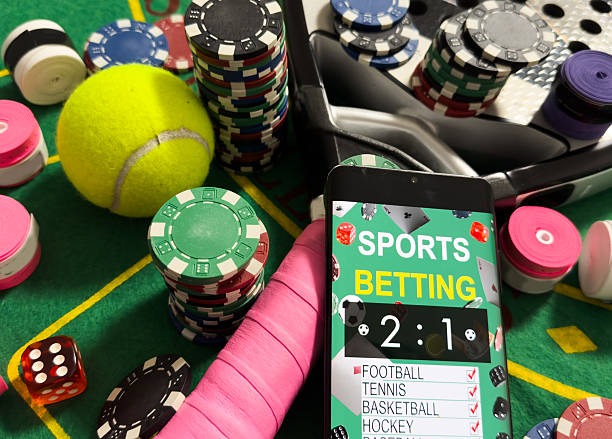
We at k200m offer three primary installation paths, each with distinct strengths. Android users can download our APK directly from our platform — bypassing the Google Play Store and getting updates faster. iOS users access k200m through a mobile-optimised browser experience, which requires no installation and no storage commitment. Web users on desktop or tablet can load our full sportsbook, live-dealer studios, and slot games through any modern browser.
App strengths
- Offline cache — load tables and odds faster on repeat visits
- Push notifications — stay alerted to Liga 1 goals and market shifts
- Lower bandwidth — optimised video streaming for weak connections
Browser strengths
- Zero install — access k200m instantly on any device
- Auto-update — no manual version checks or app store waits
- Cross-device sync — your account state persists everywhere
Installation options
Three ways to access k200m: Choose based on your device and preference. All paths lead to the same live-dealer tables, sportsbook markets, and account.
k200m installation walkthrough
Getting onto our platform takes four simple steps. Whether you choose Android APK or browser access, the flow is consistent: download or navigate, create your account, verify your identity, and start exploring our live-dealer studios and sportsbook.
- Download or open k200m. Android users tap the APK link and allow unknown sources; iOS and web users navigate directly to our site.
- Install and launch. Android users complete the installation prompt; browser users see our login screen immediately.
- Register your account. Provide username, email, mobile number, password, and accept our terms. This takes under two minutes.
- Begin exploring. Once registered, you access live blackjack, roulette, baccarat, sportsbook markets covering Liga 1 and Piala AFF, esports betting, and slot games.
Device compatibility on k200m
We support Android 7 and above on phones and tablets. iOS users need Safari or any modern mobile browser — iOS 12 and later. For desktop and tablet browsers, Chrome, Firefox, Safari, and Edge all deliver our full platform experience. Our web app works on any device with a stable internet connection; we do not require specific hardware beyond a standard smartphone or computer.
Common installation issues

Android users occasionally encounter a security prompt: "Install apps from unknown sources." This is standard Android behaviour. Navigate to Settings → Security → Unknown Sources and toggle the option on. This does not reduce your phone's security — it simply allows k200m to install outside the Play Store. After installation completes, you can toggle this setting back off. A second common issue is certificate trust: if your phone shows a security warning, this is expected on first connection. Your browser is verifying our k200m servers' identity. Trust the certificate and proceed. If you see persistent SSL errors, clear your browser cache and cookies, then try again.
Data, permissions, and account security on k200m
We at k200m request only essential permissions: network access (to connect to our live-dealer studios and sportsbook), storage (for offline cache on Android), and microphone/camera access (optional, for account verification during KYC). Our app does not access your contacts, SMS, or location. All sensitive data — passwords, payment details, account balances — travels over encrypted HTTPS connections. When you register, we verify your identity through standard documentation (ID card or passport) and fund your account via DANA, e-wallet, mobile banking, local payment, or Indonesian banks. These steps protect both your account and our platform against fraud. Your login credentials are hashed; we never store plain passwords. If you ever suspect unauthorised access, reset your password immediately from the login screen and contact our support team.
Account verification: Before your first withdrawal, we require identity verification. This typically completes within standard business hours during weekdays. On holiday periods such as Idul Fitri or Imlek, processing may extend slightly.
Optimising your k200m experience
Once installed, a few habits will enhance your experience. Enable push notifications so you receive alerts about live-dealer table openings and sportsbook odds changes. Keep your app or browser cache cleared monthly to maintain speed. If you are on a weak network, k200m's low-bandwidth mode reduces video resolution — sufficient for odds and game state, though not full HD. For esports betting during Mobile Legends or Free Fire tournaments, browser access often feels faster than mobile because you can multitab between odds and a streaming service like YouTube simultaneously.
Payment deposits vary by method. DANA transfers typically settle within minutes during business hours. Bank transfers (e-wallet, mobile banking, local payment, online payment) may take one to three hours. Once your deposit credits, it appears as playing balance immediately — no hold period. Withdrawals to the same account you deposited from take one to two business days; we verify the match before processing to prevent fraud.
Our services are available only where local law permits. Users are responsible for verifying that access and use comply with their own jurisdiction's law. If you have questions about eligibility, contact our support team before registering. We at k200m remain committed to a secure, transparent platform: our live-dealer studios use multi-camera feeds audited by third parties, our sportsbook odds update in real time, and our payment infrastructure segregates user funds from operational accounts. Download k200m, register, and explore our live-dealer tables and sportsbook — all accessible within minutes from any supported device.